

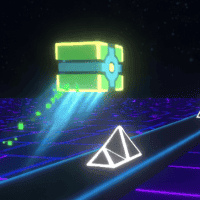























Icy Purple Head 3
The playing guidelines of Icy Purple Head 3
Start your new adventures in Icy Purple Head 3 now. Switch between icy and purple forms, avoid deadly traps, and guide your cube safely to the mailbox.
Play as two roles
In this game, your main objective is to guide a purple cube to the mailbox at the end of each level. However, the challenge lies in mastering the cube's two distinct forms:
- Icy Cube Mode: When activated, the cube becomes slippery and can slide smoothly across flat platforms and slopes. This mode is essential for gaining momentum and navigating tricky paths.
- Purple Cube Mode: In this form, the cube can take advantage of wind currents to fly through the air, allowing you to reach otherwise inaccessible areas.
Switching between these two states at the right moment is the key to solving each level efficiently.
Defeat birds and evade dangers
As you progress, you will encounter different types of birds that block your path.
- Purple Birds: Release the left mouse button to transform into a purple cube and defeat them.
- Blue Birds: Hold the left mouse button to switch into icy cube mode and eliminate these enemies.
Understanding when to switch forms is crucial for survival and progression. In addition, the game is filled with hazards that can instantly end your run if you are not careful. These include laser beams, buzzsaws, spiky traps, and other moving dangers. To succeed, you must carefully time your movements and avoid all obstacles. Besides, I recommend Crazy Tunnel 3D, which is another thrilling adventure game on our website.
How to control
Hold the left mouse button if you want to become an icy cube.
Release the left mouse button if you want to become a purple cube.
Levels and costumes in Icy Purple Head 3
Like Level Devil, this game also offers many levels. You must beat a total of 44 levels, each introducing new mechanics and challenges. As you advance, puzzles become more complex, requiring better timing and smarter strategies. The more levels you complete, the more skins you unlock, adding a fun customization element to the game.